Our advanced editing course is designed for existing Adobe Premiere Pro users who want to increase their skill level through advanced features and workflows. It is recommended you either have taken our Intro to Adobe Premiere Pro course or have an equivalent skillset.
As an advanced editing course, it is ideal for students who prefer hands-on and interactive instruction to best explore the advanced functionality of Adobe Premiere Pro.
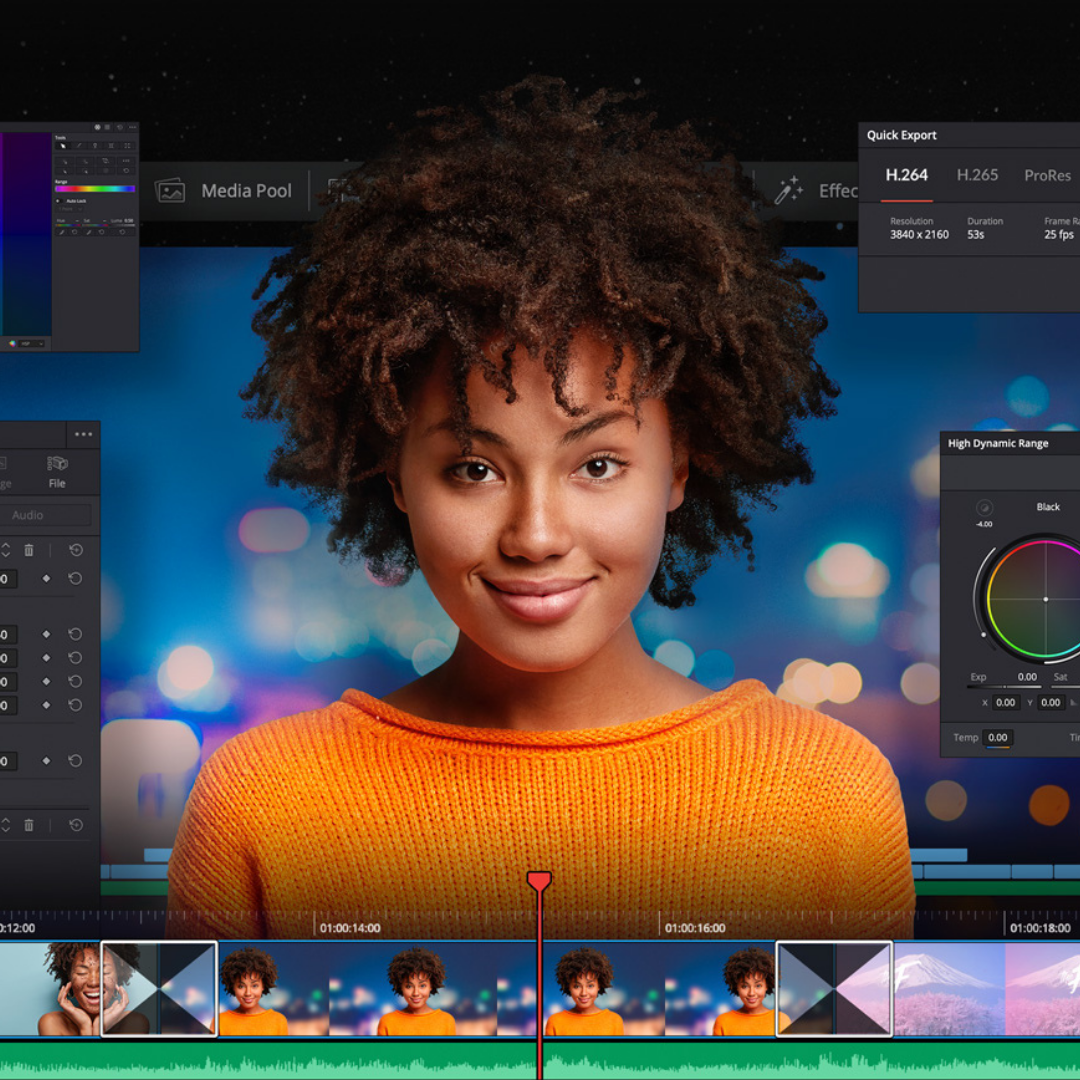
Our course provides extensive must-know professional knowledge and will cover such topics as:
Lumetri Color Panel,
Color Correction
Special Effects
Dynamic Link to After Effects,
Dynamic Link to Adobe Audition,
Project Archive: Delving into the Project Manager,
Export Project:
Diving deep into: Media Encode, Master Clips, Mapping Keyboard Shortcuts, multi-camera projects & more.
Access to:
Video assets pack
Real professional feedback from an industry professional
Learning-while-doing exploring multiple examples and scenarios
Continued learning self-paced module at discounted rate designed by Gary Gibich x Austin School of Film (10 hours of recorded video lessons covering the entire Intro to Adobe Premiere Pro to visit later if you need a refresh, or as a reference - totally optional)
Adobe Premiere Pro is an ideal alternative to other editing suites. Save hours by eliminating the need for transcoding footage, seamless integration with other industry standard Adobe programs like Photoshop and After Effects, as well as a sophisticated but familiar interface.
Adobe Premiere is available for both Mac and PC, providing a cost efficient option for building out your editing suite.
MORE INFORMATION
Location: This course will be held at the Austin School of Film in our iMac computer lab at The Clayton. All materials, equipment, software, and computers are provided for use during the workshop. To learn more about our locations, visit this link.
Who Should Attend: This intermediate weekend workshop is ideal for filmmakers, digital creators, and self-taught editors looking to learn advanced techniques in Adobe Premiere Pro or strengthen their editing workflow. Students must be 16 years or older to enroll. Strong computer literacy skills required.
What’s Included: All software and materials are provided for use during the workshop. Students will have access to Adobe Premiere Pro on lab computers and may bring their own laptop with Premiere Pro installed for hands-on editing practice.
Certificate: This course is part of Austin School of Film’s Film Forward Certificate Program.
Certification: This course, along with all Austin School of Film programs, is approved by the Texas Education Agency (TEA) to provide Continuing Professional Education (CPE) credits.
Damage + Responsibility Clause: Students will be working on professional editing systems and lab equipment. Respect for the workspace, software, and shared technology is essential.
HOW CAN I START A PAYMENT PLAN?
Anyone is eligible for a payment plan for any class if they need it! Email us to get started on a payment plan at classes@austinfilmschool.org. We require 50% of the tuition cost at registration and can divide the remaining balance in up to 2 additional equal payments.
Our advanced editing course is designed for existing Adobe Premiere Pro users who want to increase their skill level through advanced features and workflows. It is recommended you either have taken our Intro to Adobe Premiere Pro course or have an equivalent skillset.
As an advanced editing course, it is ideal for students who prefer hands-on and interactive instruction to best explore the advanced functionality of Adobe Premiere Pro.
Our course provides extensive must-know professional knowledge and will cover such topics as:
Lumetri Color Panel,
Color Correction
Special Effects
Dynamic Link to After Effects,
Dynamic Link to Adobe Audition,
Project Archive: Delving into the Project Manager,
Export Project:
Diving deep into: Media Encode, Master Clips, Mapping Keyboard Shortcuts, multi-camera projects & more.
Access to:
Video assets pack
Real professional feedback from an industry professional
Learning-while-doing exploring multiple examples and scenarios
Continued learning self-paced module at discounted rate designed by Gary Gibich x Austin School of Film (10 hours of recorded video lessons covering the entire Intro to Adobe Premiere Pro to visit later if you need a refresh, or as a reference - totally optional)
Adobe Premiere Pro is an ideal alternative to other editing suites. Save hours by eliminating the need for transcoding footage, seamless integration with other industry standard Adobe programs like Photoshop and After Effects, as well as a sophisticated but familiar interface.
Adobe Premiere is available for both Mac and PC, providing a cost efficient option for building out your editing suite.
MORE INFORMATION
Location: This course will be held at the Austin School of Film in our iMac computer lab at The Clayton. All materials, equipment, software, and computers are provided for use during the workshop. To learn more about our locations, visit this link.
Who Should Attend: This intermediate weekend workshop is ideal for filmmakers, digital creators, and self-taught editors looking to learn advanced techniques in Adobe Premiere Pro or strengthen their editing workflow. Students must be 16 years or older to enroll. Strong computer literacy skills required.
What’s Included: All software and materials are provided for use during the workshop. Students will have access to Adobe Premiere Pro on lab computers and may bring their own laptop with Premiere Pro installed for hands-on editing practice.
Certificate: This course is part of Austin School of Film’s Film Forward Certificate Program.
Certification: This course, along with all Austin School of Film programs, is approved by the Texas Education Agency (TEA) to provide Continuing Professional Education (CPE) credits.
Damage + Responsibility Clause: Students will be working on professional editing systems and lab equipment. Respect for the workspace, software, and shared technology is essential.
HOW CAN I START A PAYMENT PLAN?
Anyone is eligible for a payment plan for any class if they need it! Email us to get started on a payment plan at classes@austinfilmschool.org. We require 50% of the tuition cost at registration and can divide the remaining balance in up to 2 additional equal payments.

 Image 1 of 2
 Image 2 of 2