
Learn Design & Editing Basics with These 4 Classes

Most software courses are geared towards digital professionals who already have some skills. Learning a new creative software can be a daunting experience for true beginners. At Austin School of Film, we had a vision to create comprehensive curriculum for all learning levels—including those with no formal training.
Being able to produce great work means knowing not just how to use one software, but having an understanding of how the different software relates. Creative professionals today have access to more software tools than ever before. We have options for literally every task imaginable, and so many of them are exceptionally good - if you know how to use them properly.
However, it can be difficult knowing where to begin when learning from scratch. Avoid stifling creative limitations and remember that everyone has to start somewhere! We’re here to help you use and understand the tools you need to continue creating quality AND meaningful work.
Here are 4 classes we recommend if you’re interested in growing your skills & projects in editing & design this fall!
Intro to Photoshop
Does Adobe Photoshop even need an introduction? A handy POWERFUL software you can use for everything from photo retouching, photo effects, graphic design, web design, print, and everything in between. Photoshop has been an essential asset in every creative industry for decades.
Next class session is hosting on September 25 & 26, 2021 at Austin School of Film.
Intro to Audio Post-Production
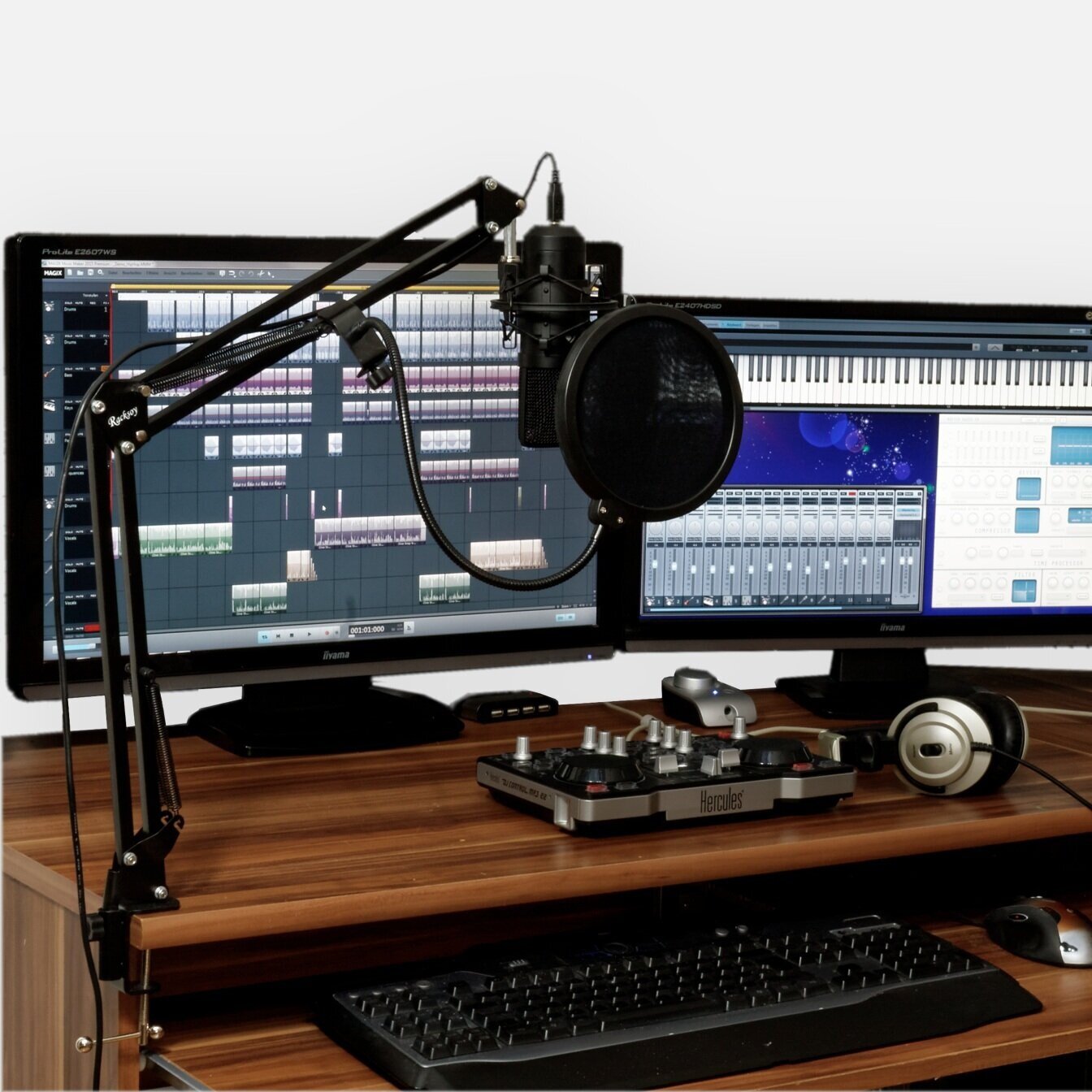
A 4-week, hands-on course exploring the fundamentals of audio post-production for film and video.
In the dynamic world of film and television post-production, sound is half the story. This four-week, hands-on course introduces students to the essential techniques of audio post-production — from editing dialogue and adding sound effects to mixing and scoring — all within a professional lab environment.
Under the guidance of sound engineer Todd Thompson, students will learn how to bring visual projects to life through intentional sound design and mixing. Through project-based exercises and guided instruction, participants will develop the technical and creative skills used by industry professionals to shape the emotional and narrative impact of film and video.
By the end of the course, students will understand the fundamentals of editing, processing, and balancing sound, and leave with hands-on experience applying those techniques to real-world projects.
Course Highlights:
Gain practical training through project-based exercises
Learn essential post-production sound skills
Topics include audio editing, signal processing, sound effects and foley, basic scoring, and mixing
Topics & Exercises Covered:
Fundamentals of audio post-production and its history
Editing dialogue, music, and ambient sound
Signal processing and sound cleanup
Sound effects, foley, and basic scoring
Mixing and balancing sound for film and television
Applying techniques to real-world post-production projects
MORE INFORMATION
Location: This course will be held at the Austin School of Film in our iMac computer lab at The Clayton. All materials, equipment, software, and computers are provided for use during the workshop. To learn more about our locations, visit this link.
Who Should Attend: Ideal for filmmakers, editors, and creators interested in learning how to enhance their projects through professional-quality sound. Open to all experience levels, though basic computer literacy is required. Students must be 16 years or older to enroll.
Supplies & Materials: All materials, software (Apple GarageBand, Adobe Audition), and computer setups are provided. Students will work individually on lab stations with access to professional post-audio equipment throughout the course.
Student Experience: Participants will complete in-class exercises and collaborative projects to apply new techniques in practical scenarios. Students will also learn how to ask proactive questions, troubleshoot challenges, and work creatively toward professional-quality results.
Prerequisites: Strong computer literacy skills are required. No prior audio or filmmaking experience necessary.
Certificate: This course is part of Austin School of Film’s Film Forward Certificate Program.
Certification: This course, along with all Austin School of Film programs, is approved by the Texas Education Agency (TEA) to provide Continuing Professional Education (CPE) credits.
HOW CAN I START A PAYMENT PLAN?
Anyone is eligible for a payment plan for any class if they need it! Email us to get started on a payment plan at classes@austinfilmschool.org. We require 50% of the tuition cost at registration and can divide the remaining balance in up to 2 additional equal payments.
You want to learn the knowledge and techniques you need to excel in the audio post-production world, but have no idea where to start? Our 4-week course will cut through the confusing jargon, show you exactly what goes on during each stage of post-production when editing audio, and give you the confidence needed to move forward with your projects
Learn how to handle sessions from start to finish, including: planning, production scheduling, communications with clients and collaborators, recording audio effects and performances, editing different types of audio material together in an exciting soundtrack, dealing with audio post-production issues and much more!
Students will work with software that is accessible for both Mac and PC users.
Next class session starts in October 5, 2021.
Intro to Premiere Pro
A weekend, hands-on introduction to editing with Adobe Premiere Pro — perfect for beginners and creators ready to refine their workflow.
This beginner-friendly workshop introduces essential concepts and editing techniques applicable across diverse post-production workflows. Across 12 hours of hands-on instruction, you’ll learn how to organize footage, edit efficiently, and create clean, professional cuts using Adobe Premiere Pro.
As one of the leading editing tools in the film and media industry, Adobe Premiere Pro integrates seamlessly with Adobe Creative Cloud programs like Photoshop and After Effects, giving creators a powerful and intuitive editing environment. Over 90% of creative professionals worldwide use Adobe Creative Cloud — making this course a must for anyone looking to gain industry-relevant editing skills and creative independence.
Topics covered include:
Exploring the interface
Importing
Capturing footage
Video fundamentals
Editing techniques
Transitions
Revising the edit
Enhancing the edit
Color correction
Special effects/titling
Access to:
Video assets pack (pre-loaded)
iMac workstation
Real professional feedback from an industry professional
Learning-while-doing with multiple examples and scenarios
MORE INFORMATION
Location: This course will be held at the Austin School of Film in our iMac computer lab at The Clayton. All materials, equipment, software, and computers are provided for use during the workshop. To learn more about our locations, visit this link.
Who Should Attend: This beginner-friendly weekend workshop is ideal for filmmakers, digital creators, and self-taught editors looking to learn Adobe Premiere Pro or strengthen their editing workflow. No prior experience required. Students must be 16 years or older to enroll. Strong computer literacy skills required.
What’s Included: All software and materials are provided for use during the workshop. Students will have access to Adobe Premiere Pro on lab computers and may bring their own laptop with Premiere Pro installed for hands-on editing practice.
Certificate: This course is part of Austin School of Film’s Film Forward Certificate Program.
Certification: This course, along with all Austin School of Film programs, is approved by the Texas Education Agency (TEA) to provide Continuing Professional Education (CPE) credits.
Damage + Responsibility Clause: Students will be working on professional editing systems and lab equipment. Respect for the workspace, software, and shared technology is essential.
Feeling overwhelmed by the amount of information on Adobe Premiere Pro? Not sure where to start or what is important?
Our Intro to Adobe Premiere Pro course curriculum is designed specifically for beginners interested in getting up-to-speed using this program as quickly as possible. Accessible on both PC & Mac makes this powerful editing software open to all users. Whether you're an indie filmmaker, YouTuber, or video editor looking for an edge or change up on software— our 12-hour intro training course will help you attain greater success within this powerful video editing program.
Next class session is hosting on September 4 & 5, 2021 at Austin School of Film.
Intro to Final Cut Pro X
Trying to learn a new creative software application alone is enough to inspire anyone to quit. But, it doesn't have to be this way. There are ways to learn and work with Final Cut Pro at your own pace in an environment where you are supported by peers and an instructor.
Our Intro to Final Cut Pro course will provide you with the necessary skills to edit your own digital media projects, including film, video and audio editing. You'll get familiar with the interface, practice basic editing techniques, discover how video can tell compelling stories and much more!
Please note: This application is only accessible on Apple devices.
Next class session is hosting on September 19 & 19, 2021 at Austin School of Film.
We know it can be difficult knowing where to begin when learning from scratch, and this is where a lot of people can give up or feel too intimidated to take the first step.
Austin School of Film develops curriculum directly with our educators & industry experts, that will help anyone looking to get started in creative media, editing, and design. Class sizes are small & intimate to ensure students have 1-1 time to troubleshoot with the educator on their questions. Did we also mention all you do is bring yourself? All software training courses take place in Austin School of Film iMac computer lab. All digital assets and software’s latest version is pre-loaded onto machines to ensure once you hit the door, we can begin class.
All computers, software, and additional supplies are included in tuition for the duration of all Post-Production, Editing, and Design courses at Austin School of Film.